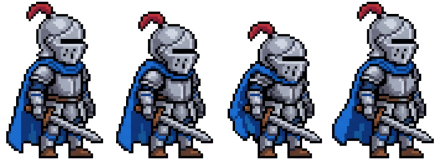

Pixel knight
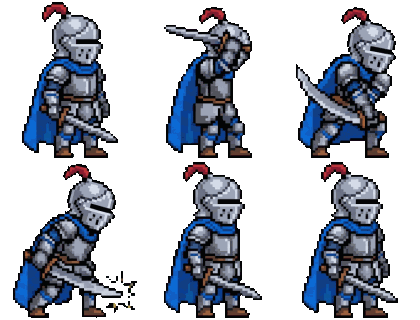
Describe a character and get its idle, run and attack animations as one clean, transparent sprite sheet: a plain PNG with equal cells, plus a JSON with the frame size.
180 credits is about $0.90 to $1.80, shown before anything is drawn. The preview is the character and its idle animation, stamped and small, and costs no credits.
Credit packs from $4.99 · pay once, no subscription · credits never expire
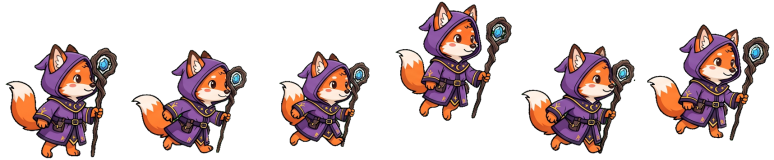
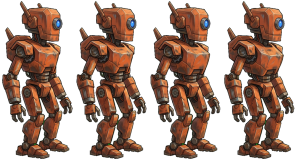
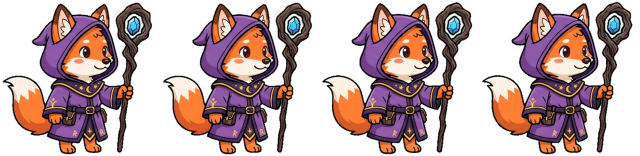
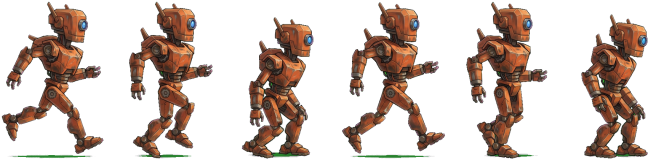
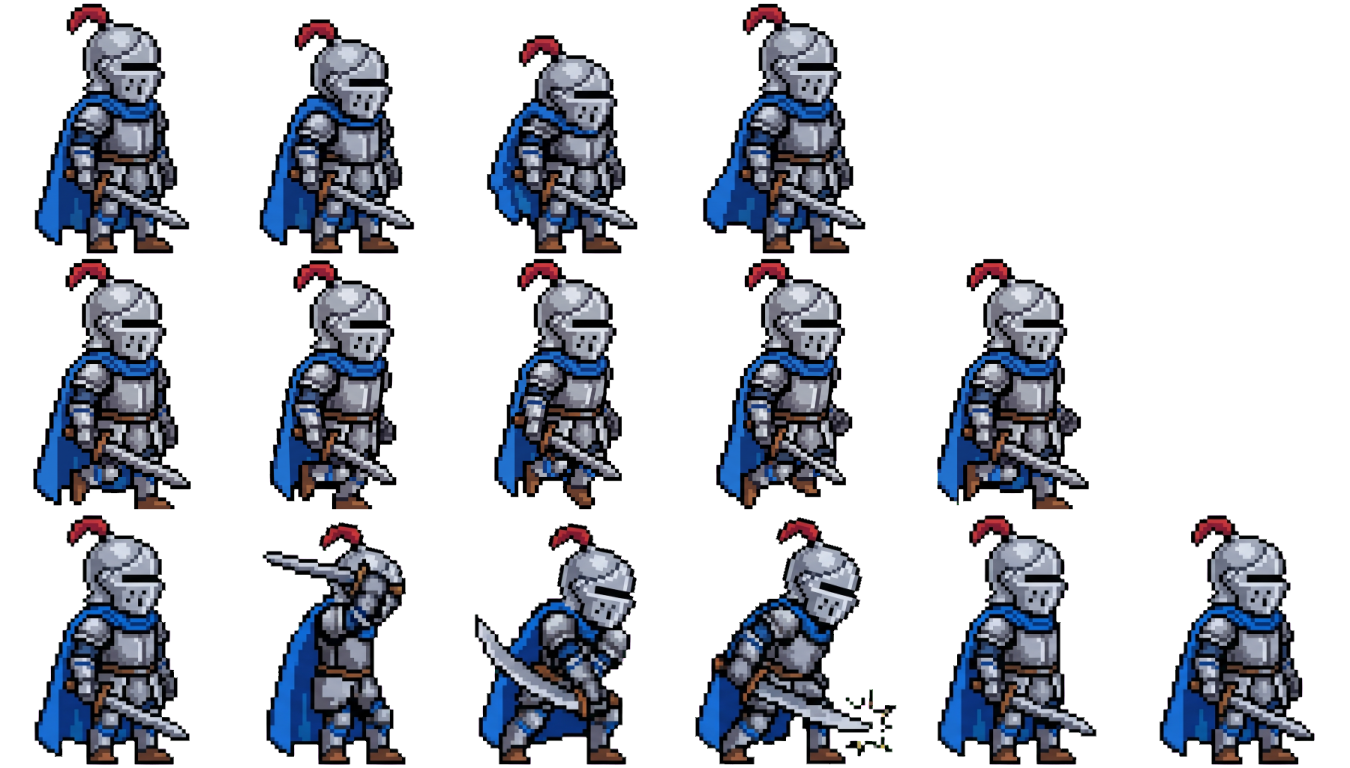
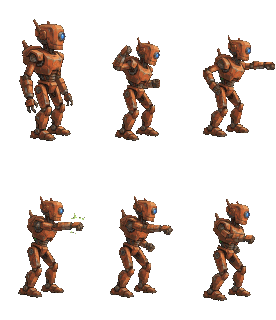
Each card is a real pack from our test run of 2026-10-26: a pixel-art knight, a cartoon fox mage and a hand-painted robot, each with an idle, a run and an attack row. The sheet is shown on a checkerboard so you can see the transparency, and the three GIFs underneath play the same frames.
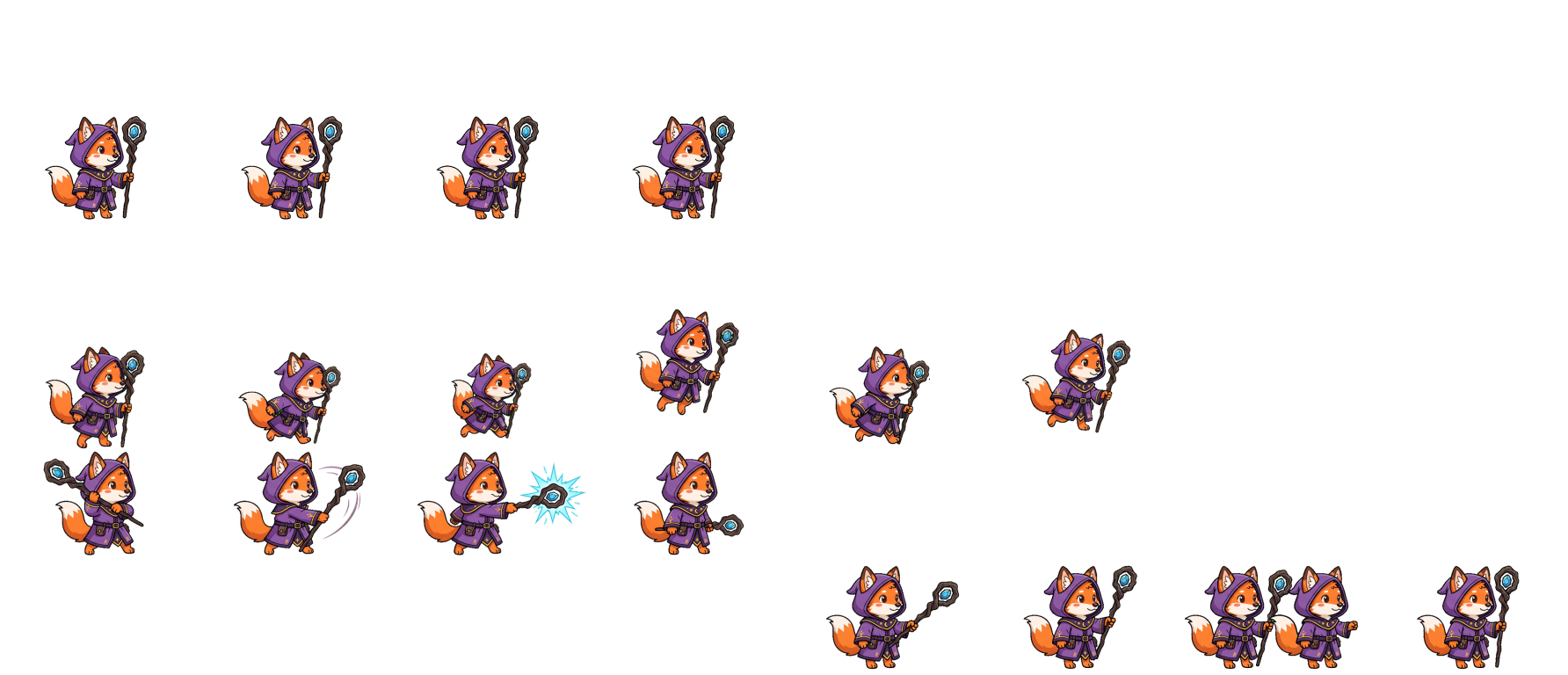
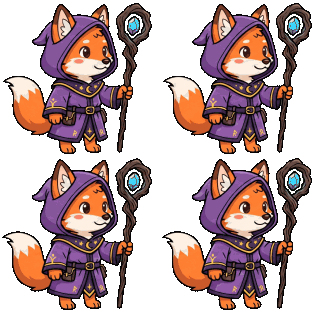
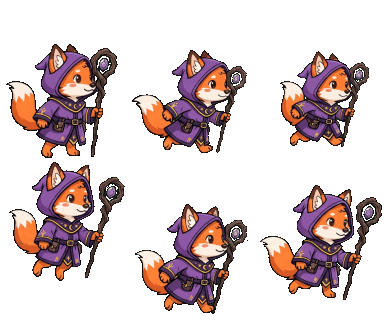
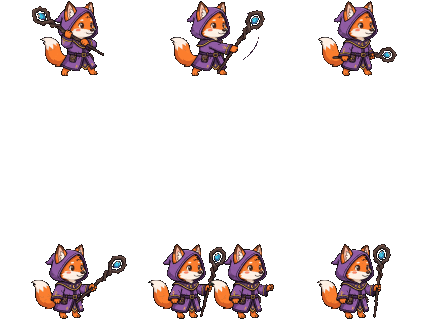
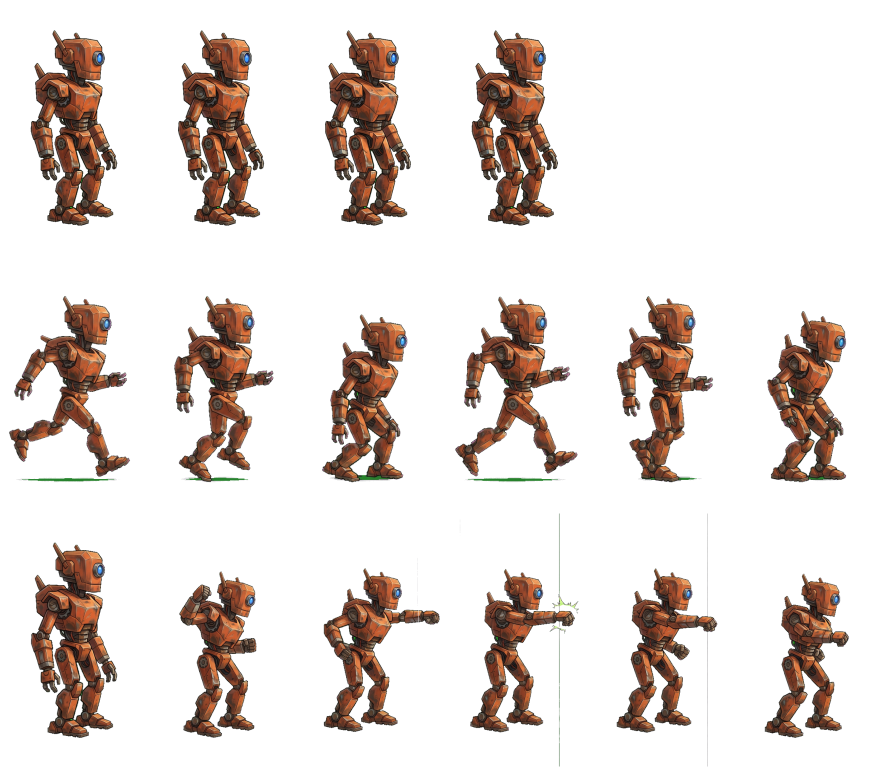
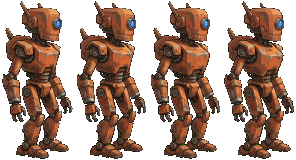
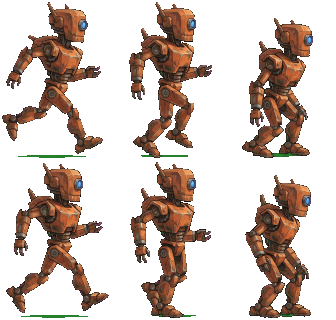
This is every one of the 13 animation sheets we drew in that run, with the number of frames we asked for and the number the re-pack found. Where the drawn layout was a mess, the table says so.
| Sheet | Asked | Found | Layout as drawn |
|---|---|---|---|
| Fox mage, attack | 6 | 6 | one row |
| Fox mage, attack, second try | 6 | 8 | two rows, wrong count |
| Fox mage, idle | 4 | 4 | one row |
| Fox mage, idle, second try | 4 | 4 | one row |
| Fox mage, run | 6 | 6 | one row |
| Pixel knight, attack | 6 | 6 | one row |
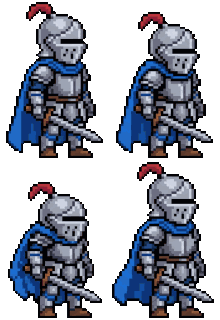
| Pixel knight, idle | 4 | 4 | one row |
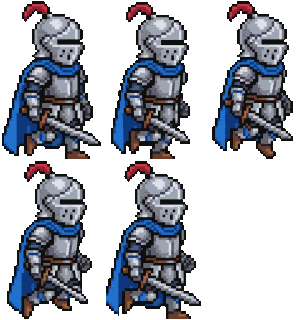
| Pixel knight, run | 6 | 5 | one row, ground line, wrong count |
| Pixel knight, run, second try | 6 | 10 | two rows, wrong count |
| Scout robot, attack | 6 | 10 | two rows, ground line, wrong count |
| Scout robot, attack, second try | 6 | 6 | one row, ground line |
| Scout robot, idle | 4 | 4 | one row |
| Scout robot, run | 6 | 6 | one row |
A sprite sheet is one image that holds the frames of an animation in a grid, so a game engine can show them one after another. Drawing one by hand means keeping a character the same across dozens of frames. This sprite sheet generator does the part that is hard to repeat: it draws the character once, draws each animation from that picture, and then cleans and lays out the frames so they fit a grid your engine can slice.
As an AI sprite generator it is strongest on one clear character: a hero, an enemy, a pet, a shopkeeper. It is weaker on crowds, on two characters in one sheet and on vehicles that change shape. Describe the thing that moves and leave out the scenery. Words such as "side view" are already added for you, so spend the sentence on the look of the character.
A character sprite sheet is only useful when the character in the run row is recognisably the one in the idle row. That is why the order is built around the reference picture and not around three separate prompts. In our test the character held in 13 of 13 sheets, so the problem we spend effort on is layout, not identity.
The idle animation sprite sheet has 4 frames of a slow breath and a small sway, so the motion is subtle by design. A walk cycle sprite sheet has 6 frames with the legs in clearly different positions. Run uses 6 frames at 12 frames per second, attack uses 6, and the JSON file carries a suggested rate for each so the speed is not a guess.
Choose pixel art and the sheet is drawn with chunky pixels and a limited palette. It is a look, not a pixel grid: the picture is drawn at a high resolution and then reduced to the cell size, so edges are crisp but a single pixel is not guaranteed to land on your engine's grid. If you need strict pixel alignment, check it at 1:1 before you build on it.
| File | What it is | Use it for |
|---|---|---|
| sprite-sheet.png | All animations, one row each, equal cells, transparent background | Slicing in your engine by cell size |
| sprite-frames.zip | Every frame as its own PNG, named by animation and number | Engines and tools that want separate images |
| idle.gif, run.gif, attack.gif | One animated GIF per animation at the suggested speed | Checking the motion, store pages, chat |
| sprite-sheet.json | Cell size, baseline row, frame counts, frame rates, file names | Setting up the slicing without measuring |
| character.png | The reference character alone, cropped, transparent | Portraits, menus, a start for new poses |
Every frame is the same size and every figure stands on the same baseline, so switching from idle to run does not make the character jump. If you also need interface art for the same game, the Roblox UI design and Roblox GUI generator pages make matching sets, and the Roblox icon maker makes the square game icon.
The sheet has one row per animation and every cell has the same width and height, so a tool that slices a grid can read it. The cell size is written in the JSON file. We have not tested the import in each engine or version, so treat the steps below as the usual route and check your first import.
Import the PNG, set Sprite Mode to Multiple and open the Sprite Editor. Slice by cell size with the width and height from the JSON file. Because the feet of every figure sit on the same row, one pivot at the bottom centre works for all frames.
Use an AnimatedSprite2D with a SpriteFrames resource and add the frames from the sheet with the number of columns and rows the JSON file gives. Or load the per-frame PNGs from the ZIP if you prefer to keep the frames separate.
GameMaker takes a strip or the separate frames; the per-frame PNGs are the most portable route. In Roblox an ImageLabel can show one cell of the sheet by setting ImageRectOffset and ImageRectSize to the cell, and changing the offset on a timer plays the animation. In UEFN, import the PNG as a texture and set the frame stepping in your own material.
On 2026-10-26 we ran the pipeline on three characters: a pixel-art knight, a cartoon fox mage and a hand-painted robot. Each got one reference picture and three animation sheets, idle, run and attack, and 4 sheets were drawn a second time, which makes 13 animation sheets in all. We did not pick the best run: the table above lists every sheet.
The numbers are from our own small run, not a benchmark. Three characters tell you how the process behaves, not how often it works for yours.
When the first sheet looks wrong we draw it once more and keep the better one. If that is still short of the count you asked for, you get what was drawn and the real number, not a padded sheet.
The character with its idle, run and attack animations is 180 credits, about $0.90 to $1.80 depending on the pack you buy. A walk, jump, hurt or death animation is 50 more credits each, up to two, so the most one order costs is 280 credits. The price is on the button before anything is drawn. The preview of the character and its idle animation costs no credits; it is small and stamped, and if you then order the pack its character and idle sheet are reused. See the pricing page for the credit packs, or make a thumbnail for the same game.
A failed order is refunded to your balance automatically, and credits never expire.
You describe one character and pick an art style. The generator draws the character once, then draws its idle, run and attack animations from that same character, and packs them into one transparent PNG sprite sheet with equal cells. You also get every frame as its own PNG in a ZIP, an animated GIF for each animation and a small JSON file with the frame size, frame counts and a suggested frame rate. Two more animations can be added for 50 credits each.
The sheet is a plain transparent PNG with equal cells, and the JSON file gives the frame size, the baseline, the frame counts and a suggested frame rate. Any tool that can slice a grid image can read it, and the per-frame PNGs are there for tools that prefer separate images. We have not tested the import in every engine or every version, so Unity, Godot, GameMaker, Roblox and UEFN users should treat the steps on this page as the usual route and check the first import. The pack is for 2D sprites; it is not a 3D model, and it has no engine project files.
In our own test on 2026-10-26 the character kept its outfit, colours and proportions in all 13 sheets we drew, which is why each animation is drawn from the first picture of the character instead of from the description alone. That is not a guarantee: small details such as a belt buckle or a stripe can still change from frame to frame, so look at the animation before you build on it. The preview and the GIFs make that check quick, and a second order with a more exact description is the fix when one detail keeps drifting.
We ask for four frames of idle, six of run and six of attack. The picture model does not always draw the number it was asked for, so the pack is built from what was really drawn: each sheet is drawn once and a count that looks wrong is flagged, not hidden. In our test of 13 sheets the re-pack matched the requested count on 9 and flagged the rest, and slicing the raw sheets by column worked on only 6 of 13. The JSON file and the download page state the frame count you actually got, so your code can read it instead of assuming.
Yes. Every order includes idle, run and attack. You can add up to two more animations from walk, jump, hurt and death, each for 50 credits on top of the 180 credits for the character and its three animations. A walk cycle uses six frames, a jump five, a hurt reaction three and a defeat animation six. The price is shown on the button before anything is drawn, so an order with two extras shows the higher number up front and never grows after you press it.
You can ask for a preview of the character and its idle animation. It is shown small and stamped with a preview mark, and it is the only thing the page ever gives you before a purchase. The sheet, the GIFs and the frame files you download are made without the stamp at full size. If you then order the full pack, the character and the idle animation from the preview are reused, so only the rest is drawn. The preview is one per visitor, so a second preview from the same device is not offered.
Yes. You can add one picture next to your description. The generator uses it to draw the reference character in the art style you chose, and every animation is then drawn from that reference. It works best with one clear figure on a plain background, seen from the front or the side. A photo of a person is not a good start, because the result is a game character drawn in the style you chose, not a copy of the picture. The picture is checked before it is used, and it is only used for your own order.
If the order fails, the credits are returned to your balance automatically. If it finishes but one animation could not be cut into frames, the pack contains the others and the download page says which one is missing. A sheet that comes out with fewer frames than asked is delivered as it is, with the real count. Credits never expire, so you can try again with a clearer description. If you think a result is wrong in a way the page does not explain, the contact page reaches us.